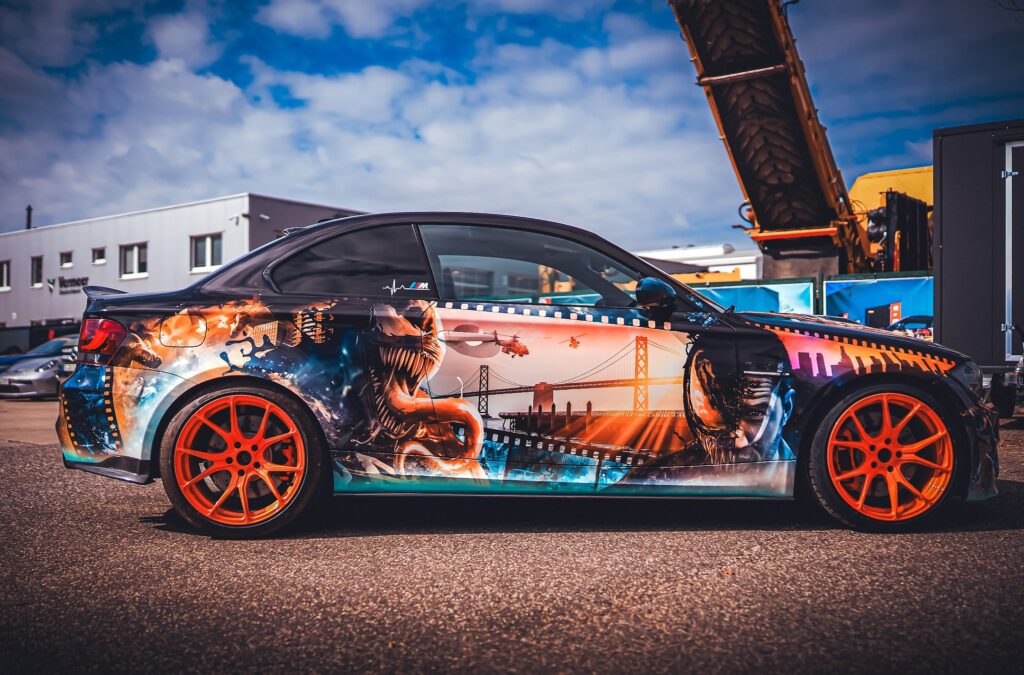
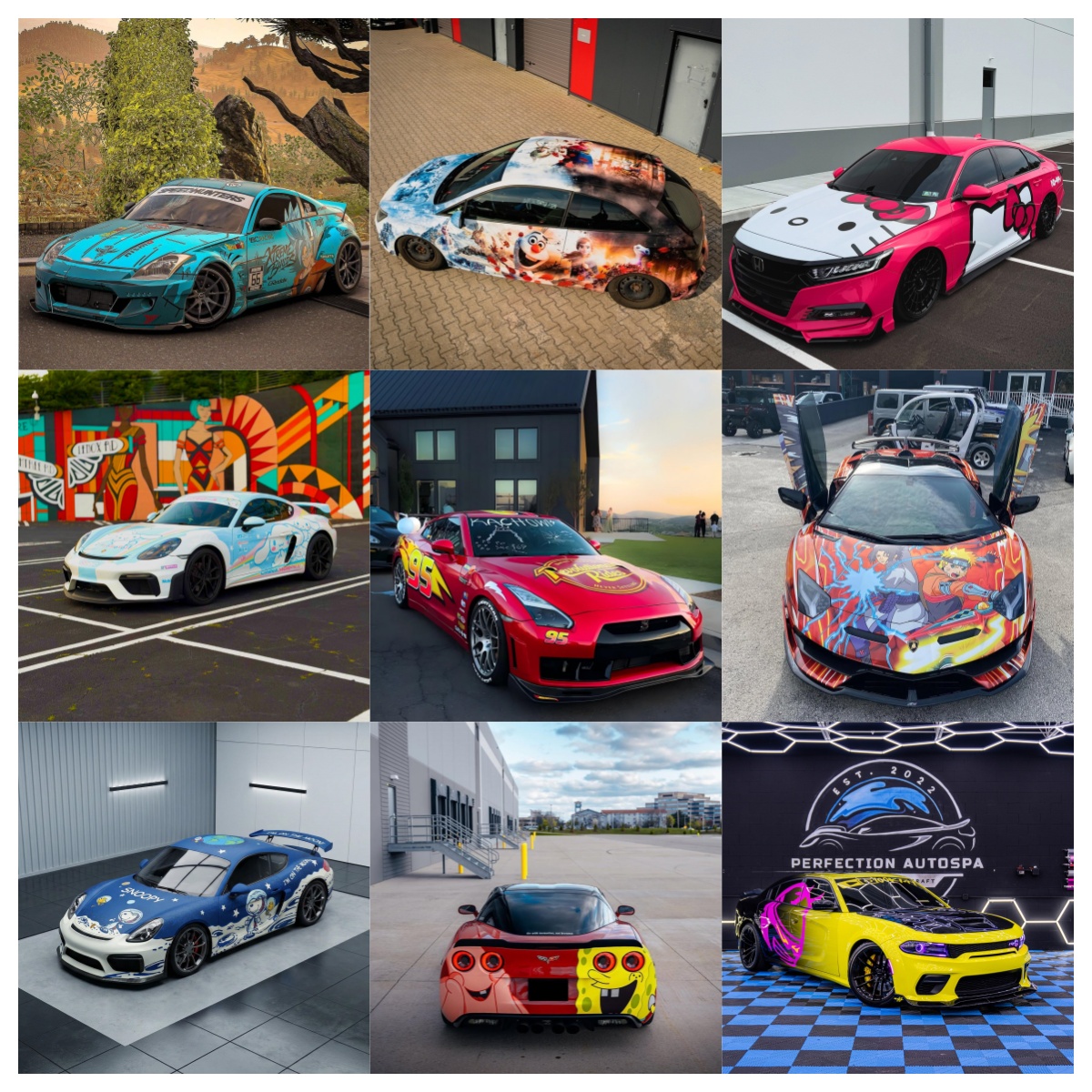
An itasha design turns a vehicle into something far more personal than a simple color change. Instead of choosing one solid vinyl color, you are combining character artwork, typography, graphics, colors, and the shape of the vehicle itself into one complete visual composition.
But designing an itasha wrap is very different from designing a poster.
A design that looks perfect on a computer screen can fail once it is stretched across doors, fenders, handles, wheel arches, bumpers, and curved body panels. Character faces can become distorted, text can disappear into panel gaps, and important details can be trimmed away during installation.
That is why a successful itasha car wrap needs to be designed for the vehicle from the beginning.
This guide explains how to design your own itasha car wrap, from choosing a character and developing the visual concept to preparing artwork for large-format printing and professional installation.
How Do You Design Your Own Itasha Car Wrap?
To create your own itasha design, start by choosing a character or theme, then select high-resolution or vector artwork and build the composition on an accurate vehicle template. Position important character features away from door handles, panel gaps, wheel arches, and heavily curved areas. Add supporting graphics, typography, colors, and backgrounds that follow the vehicle’s body lines. Before printing, review the design at full vehicle scale, confirm bleed and file specifications with the printer, and create a vehicle mockup for approval.
The basic process is:
- Choose your character or theme.
- Decide between partial and full coverage.
- Collect or commission suitable artwork.
- Obtain an accurate vehicle template.
- Establish the main character placement.
- Build backgrounds and secondary graphics.
- Adapt the design to the vehicle’s body lines.
- Check image quality and print scale.
- Create a realistic mockup.
- Approve the design before production.
- Print on suitable vehicle wrap vinyl.
- Have the wrap professionally installed.
The key principle is simple: design the artwork around the car rather than treating the car as a flat poster.

What Is an Itasha Design?
“Itasha” generally refers to vehicles decorated with characters and visual elements inspired by anime, manga, games, and related Japanese pop culture.
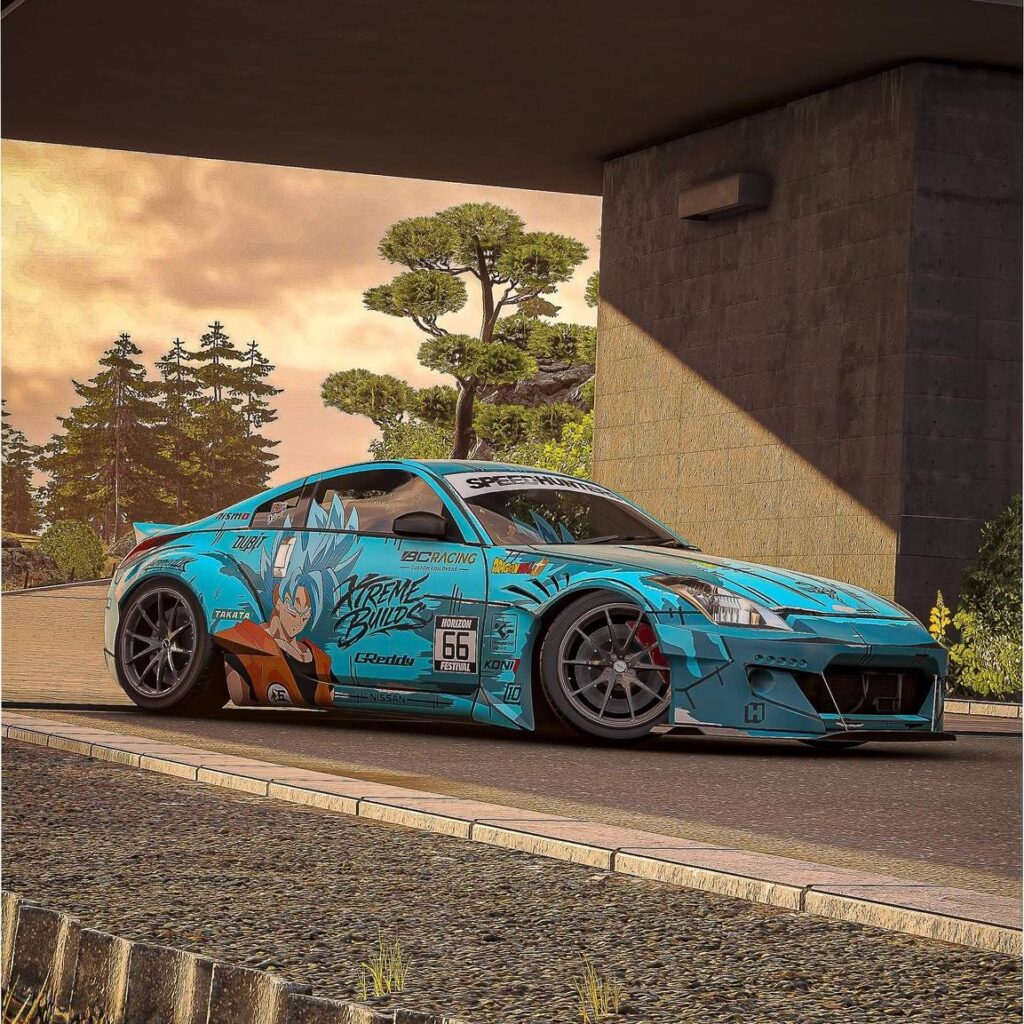
Modern itasha cars range from relatively simple character graphics on the doors to highly elaborate full-body wraps incorporating:
- Anime or game characters
- Original illustrations
- Japanese typography
- Character names
- Racing numbers
- Fictional sponsor graphics
- Geometric patterns
- Gradients
- Manga panels
- Cyberpunk elements
- Cherry blossoms and traditional Japanese motifs
- Social media handles
- Custom logos
The best designs do not simply place a large anime character on a car.
They integrate the artwork with the vehicle.
A hood crease can become part of a graphic transition. A side skirt can carry a racing stripe. A rear quarter panel can provide space for secondary artwork. Even the original paint color can become part of the overall palette.
This integration is what separates a carefully planned itasha car design from a collection of unrelated anime decals.
Step 1: Choose the Right Theme for Your Itasha Design
Before opening Photoshop or Illustrator, decide what the car should communicate.
Start with three questions:
Who or what is the focus?
Choose your primary character, series, game, VTuber, original character, or visual theme.
What mood should the car have?
For example:
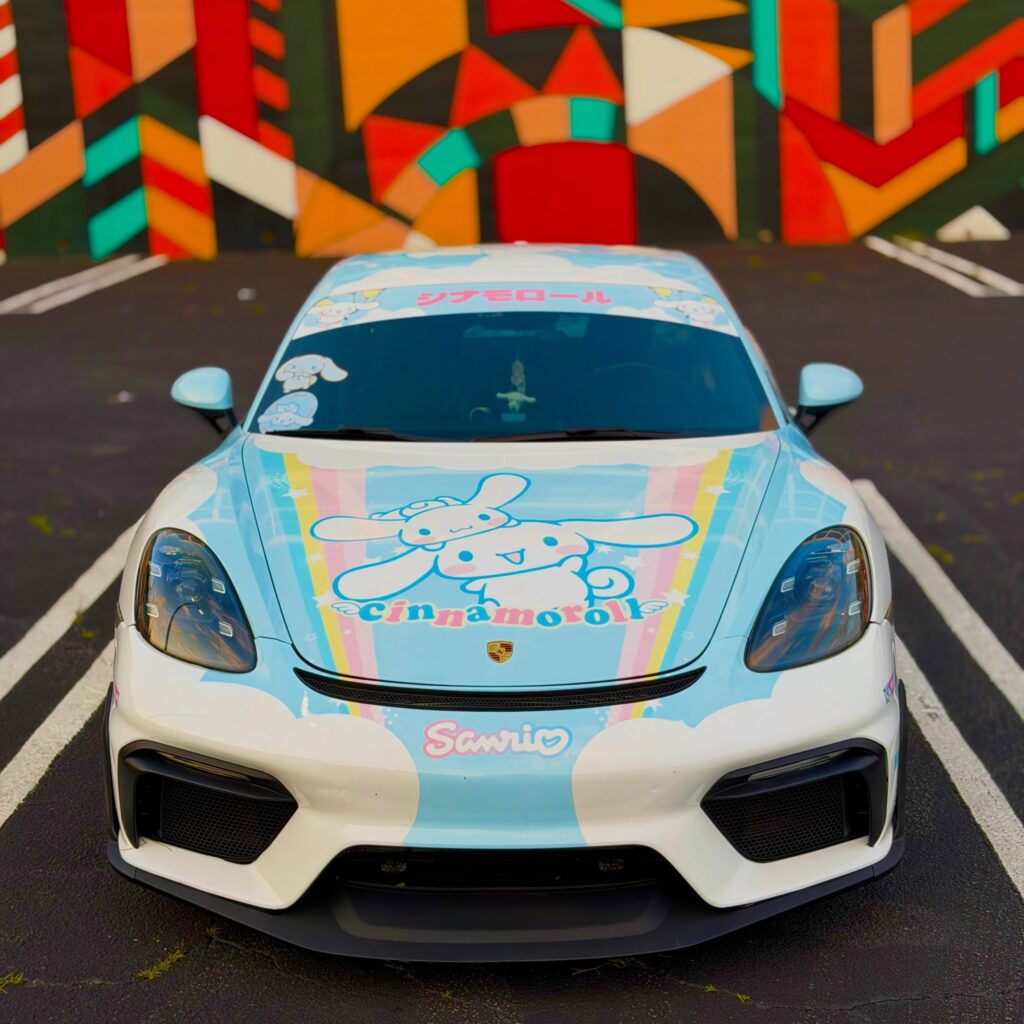
- Cute / kawaii
- Dark
- Cyberpunk
- JDM racing
- Elegant
- Minimalist
- Pastel
- Aggressive
- Futuristic
- Retro Japanese
- Manga-inspired
What colors represent that theme?
Try to establish two or three primary colors before adding secondary colors.
This creates a visual system for the entire vehicle.
For example, a cyberpunk itasha might combine black, violet, neon blue, and small pink highlights. A kawaii design might use white, lavender, baby blue, and pastel pink.
Avoid the “Everything I Like” Problem
One of the most common mistakes in custom itasha design is trying to include too many characters, logos, quotes, symbols, and colors.
More content does not automatically create a better design.
If five characters compete for attention on one door, none of them becomes the focal point.
A useful hierarchy is:
Primary character → secondary graphic → supporting typography → small decorative details
When someone sees the vehicle from across a parking lot, they should immediately understand where to look.
Step 2: Decide Between a Full Itasha Wrap and Partial Itasha Design
You do not necessarily need to wrap the entire vehicle.
Partial Itasha Wrap
A partial design might cover:
- Hood
- Both doors
- Rear quarter panels
- One complete side
- Hood and sides
- Selected panels
Pros
- Lower material requirement
- Easier to update later
- Original paint can become part of the design
- Can create a cleaner, more restrained appearance
- Usually less complex to install
Cons
- Original vehicle color strongly affects the design
- Transitions between graphics and paint require careful planning
- Less visual impact than a complete wrap
Full Itasha Car Wrap
A full wrap allows the entire visible body to become one continuous design.
Pros
- Maximum visual impact
- Complete control over the color palette
- More space for characters and supporting graphics
- Easier to create a unified theme
- Can completely transform the vehicle’s appearance
Cons
- Requires more material
- More demanding artwork preparation
- More installation labor
- Poor alignment becomes more noticeable
- Requires careful planning around every major panel
For complex builds, think about coverage before commissioning the final artwork.
Step 3: Choose or Commission High-Quality Character Artwork
Artwork quality is one of the biggest factors determining whether an itasha looks professional.
A small image downloaded from social media may look sharp on a phone but become visibly pixelated when enlarged to several feet across a vehicle.
Vector vs. Raster Artwork
Vector
Vector graphics are built from mathematical paths rather than fixed pixels.
Common formats include:
- AI
- EPS
- SVG
- Vector PDF
They can generally be enlarged without the same pixelation problems as raster images, making them highly useful for logos, typography, shapes, and line artwork.
Raster
Raster images include:
- PSD
- TIFF
- PNG
- JPEG
Raster artwork can also produce excellent results, but it must contain enough usable image information at the final print size.
Do not judge a file only by its DPI number.
A 300-DPI image that is only a few inches wide does not magically become high resolution when enlarged to cover a 50-inch door.
Professional Tip
Ask your printer what final-scale resolution, color settings, file format, bleed, and panel setup they require before completing the design.
Print workflows differ.
Step 4: Think About Copyright Before Printing Anime Artwork
This step is often ignored in beginner itasha guides.
Anime characters, manga artwork, game illustrations, logos, and promotional artwork can be protected intellectual property.
In the United States, copyright owners generally hold exclusive rights that include reproducing a work and preparing derivative works based on it.
Therefore, finding artwork through Google Images does not automatically give you permission to reproduce it as a printed vehicle graphic.
For a custom project, consider:
- Commissioning original character artwork
- Using artwork you created yourself
- Obtaining permission from the artist or rights holder where required
- Confirming the commercial-use terms of commissioned artwork
- Keeping records of licenses or permissions
If the vehicle will be used commercially, promoted by a business, sold as merchandise, or used in advertising, intellectual-property considerations can become even more important.
This section is general information rather than legal advice; specific projects may require advice from an intellectual-property professional.
Step 5: Get an Accurate Vehicle Template
This is where itasha design becomes vehicle design.
You need to know exactly what vehicle you are designing for:
Year + Make + Model + Trim/Body Style
For example:
2025 Honda Civic Type R
is more useful than:
Honda Civic.
Different generations and trims can have different bumpers, spoilers, fenders, doors, and body dimensions.
Ideally, work with:
- A professional vehicle template
- Actual vehicle measurements
- High-quality straight-on photographs
- Detailed photos of difficult areas
Templates are extremely useful, but physical measurements should still be checked before final production.
Step 6: Design Around the Vehicle’s Body Lines
Imagine placing a character’s face directly across a door handle.
Or positioning both eyes on opposite sides of a deep door seam.
On a flat Illustrator file, everything may look normal.
On the finished car, the face may look distorted.
This is why professional vehicle graphics require panel awareness.
Pay special attention to:
- Door handles
- Door gaps
- Wheel arches
- Fender transitions
- Fuel doors
- Mirrors
- Bumpers
- Spoilers
- Grilles
- Lights
- Deep recesses
- Sharp body lines
Protect the Character’s Face
The face is usually the most recognizable part of anime artwork.
Whenever possible, keep the eyes, nose, and mouth on a relatively continuous surface.
Hair, clothing, effects, weapons, particles, and backgrounds can usually tolerate panel interruptions much better.
A Simple Priority Rule
Face > body > secondary graphics > background
Protect the most visually important information first.
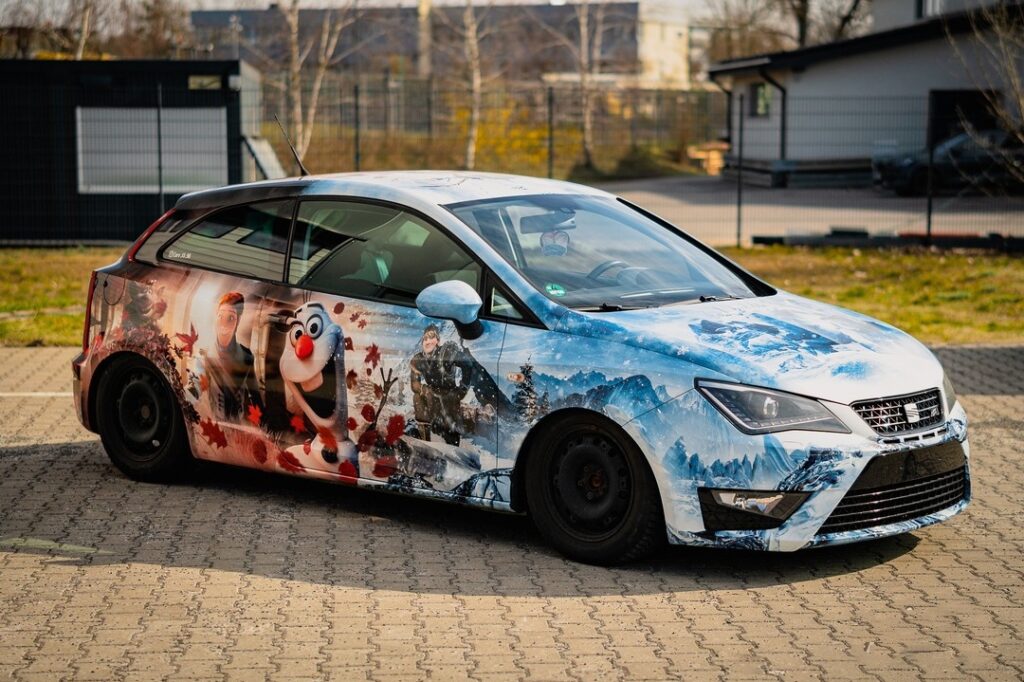
Step 7: Make the Character Follow the Car
Character placement should feel intentional.
On a sports coupe, a forward-leaning character pose can reinforce the sense of movement.
On a large sedan, a wider composition can take advantage of the long doors.
On a hatchback, the rear quarter panel and hatch can become part of a continuous composition.
Consider the direction of the character’s eyes and body.
A character looking toward the front can visually pull the composition forward. A pose facing backward may work if another graphic balances the opposite direction.
The car itself should influence the pose.
That is why the same itasha artwork should not simply be copied onto different vehicles without adjustment.
Step 8: Build the Background After the Character
Once the primary character position works, build the rest of the design around it.
Popular supporting elements include:
Japanese Typography
Character names, fictional phrases, and Japanese text can provide strong vertical or horizontal structure.
Always verify translations before printing.
Racing Graphics
Numbers, stripes, sponsor-style boxes, warning labels, and technical graphics can create a motorsport-inspired itasha.
Manga Panels
Black-and-white manga elements can provide contrast behind colorful character artwork.
Geometric Graphics
Triangles, grids, lines, circles, halftones, and digital patterns work particularly well with futuristic themes.
Gradients
Gradients help connect multiple panels without making the design feel overcrowded.
Character-Specific Symbols
Instead of filling empty space randomly, use visual elements connected to the character’s story, clothing, abilities, or universe.
That creates storytelling rather than decoration.
Step 9: Use the Vehicle’s Original Color Strategically
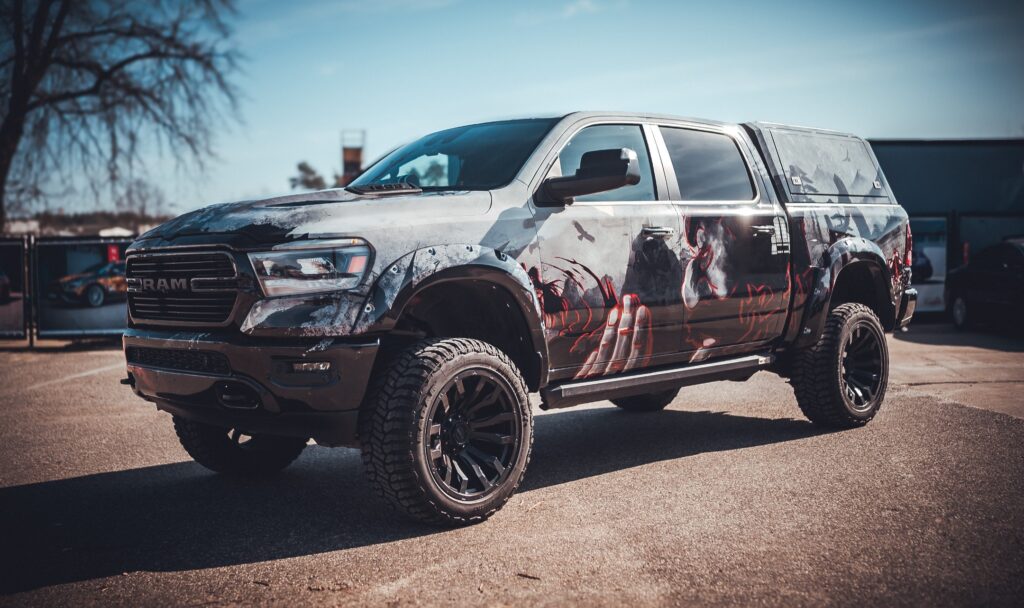
If you are creating a partial itasha wrap, the factory paint should be considered part of the palette.
Suppose your vehicle is black.
Instead of covering every black area, you could use the original paint as negative space and introduce violet and neon pink character graphics.
The black paint becomes part of the design.
The same principle works particularly well with:
- White
- Black
- Silver
- Grey
- Red
- Blue
This approach can reduce visual clutter while creating cleaner transitions.
Step 10: Design for Distance — Not Just Your Computer Screen
A vehicle is experienced at multiple distances.
From 30 feet away, viewers notice:
- Overall colors
- Character silhouette
- Large typography
From 10 feet away, they notice:
- Secondary graphics
- Character details
- Logos
Up close, they notice:
- Small text
- Easter eggs
- Fine patterns
This suggests an effective design hierarchy.
Do not make every element equally important.
If every graphic is loud, nothing is loud.
Step 11: Create a Realistic Itasha Mockup
Before production, create a realistic visual preview.
At minimum, review:
- Driver side
- Passenger side
- Front
- Rear
- Hood
- Roof, if wrapped
Do not assume the two sides must be identical.
An asymmetrical itasha can feature different poses of the same character while maintaining the same visual identity.
What Should You Check?
Ask:
- Is the character large enough?
- Are important features crossing panel gaps?
- Does the design flow from front to rear?
- Is the typography readable?
- Does the hood design align visually with the sides?
- Are the two sides consistent?
- Does the original paint interfere with partial-wrap areas?
- Will any important artwork be trimmed during installation?
Mockups are much cheaper to revise than printed vinyl.
Step 12: Prepare the Itasha Design for Large-Format Printing
This is where a beautiful design becomes a production-ready wrap.
Before sending the artwork to print, confirm:
- Vehicle measurements
- Final artwork scale
- Raster image resolution
- Color mode/profile
- Fonts
- Linked images
- Transparency effects
- Panel overlap
- Bleed
- Cut areas
- Print direction
- File format
Do not build important graphics exactly to the visible edge of a panel.
Installers normally need additional printed material around edges and panel boundaries for positioning and trimming.
The exact amount should be determined by your printer or installer.
Why Printable Wrap Material Matters
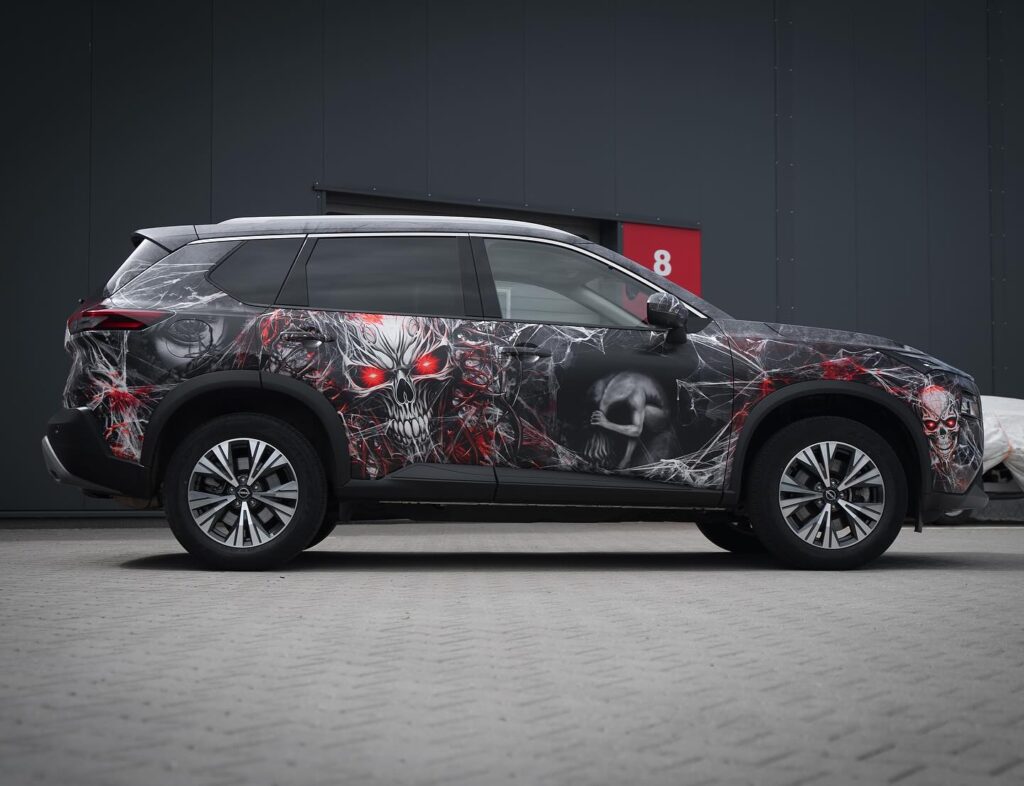
An itasha is not simply a large sticker.
Vehicle bodies contain compound curves, recesses, edges, and irregular surfaces. The print media therefore needs to work with both the printer and installer.
Professional printable vehicle films are engineered specifically for these challenges.
For example, Avery Dennison describes its MPI 1105 wrapping film as a cast printable film designed for 3D conformability, print quality, curves, and recesses. Avery also recommends compatible overlaminates to protect the printed film and enhance color and durability.
3M likewise develops printable vehicle films with features intended to improve positioning and application on vehicles.
The lesson is important:
Great artwork printed on unsuitable material can still produce a poor wrap.
When comparing an itasha wrap, evaluate the complete system:
Artwork + Printing + Vinyl + Laminate + Installation
rather than evaluating artwork alone.
Should an Itasha Wrap Be Laminated?
For most high-quality printed vehicle graphics, a suitable overlaminate is highly valuable.
Depending on the selected system, laminate can help protect printed graphics from environmental exposure and abrasion while also influencing the final surface appearance.
Possible finishes include:
- Gloss
- Matte
- Satin
Gloss can make anime colors appear especially vivid, while matte can produce a softer, more illustration-like appearance.
The best choice depends on the design.
Common Itasha Design Mistakes
1. Using Low-Resolution Artwork
Problem: Character details become pixelated after enlargement.
Solution: Use suitable high-resolution artwork or scalable vector assets.
2. Designing Without Exact Vehicle Information
Problem: Artwork does not match the actual doors, fenders, bumpers, or trim.
Solution: Confirm year, make, model, body style, modifications, and measurements.
3. Putting Faces Across Panel Gaps
Problem: Character expressions become distorted.
Solution: Position important facial details on uninterrupted surfaces whenever possible.
4. Adding Too Many Elements
Problem: The vehicle becomes visually chaotic.
Solution: Establish a clear hierarchy with one dominant visual focus.
5. Forgetting Bleed and Installation Areas
Problem: Important graphics can be lost during trimming.
Solution: Coordinate production requirements with the printer and installer before finalizing the artwork.
6. Designing Only One Flat Side
Problem: The design does not feel cohesive around the front, rear, hood, and opposite side.
Solution: Treat the vehicle as a three-dimensional object.
7. Ignoring Copyright
Problem: Downloaded character artwork may not automatically be authorized for reproduction.
Solution: Use original, commissioned, licensed, or otherwise appropriately authorized artwork.
DIY Itasha Design vs. Professional Custom Design
| Factor | DIY Itasha Design | Professional Design |
|---|---|---|
| Creative control | Excellent | Excellent with collaboration |
| Cost | Lower design cost | Higher |
| Learning curve | High | Low for customer |
| Vehicle template experience | Varies | Usually stronger |
| Print preparation | Requires knowledge | Usually included/assisted |
| Character placement | Trial and error | Experience-based |
| Production risk | Higher | Lower when properly managed |
| Best for | Designers and experienced hobbyists | First-time owners and complex builds |
DIY makes sense if you already understand large-format graphics and vehicle templates.
Professional assistance becomes more valuable when you are creating a full wrap, using complex character compositions, or need the design prepared for production.
A Better Workflow: Designer, Printer and Installer Should Communicate
One of the biggest lessons from experienced itasha builders is that design, printing, and installation should not be treated as completely isolated steps.
A designer may create something visually impressive that is difficult to install.
An installer may need more overlap or bleed than the designer anticipated.
A printer may have different requirements for raster resolution, color profiles, transparencies, or file formats.
The safest workflow is:
Concept → Vehicle Measurements → Design → Installer Review → Final Artwork → Print → Lamination → Installation
That small installer review before printing can prevent expensive mistakes.
How Much Does an Itasha Design Cost?
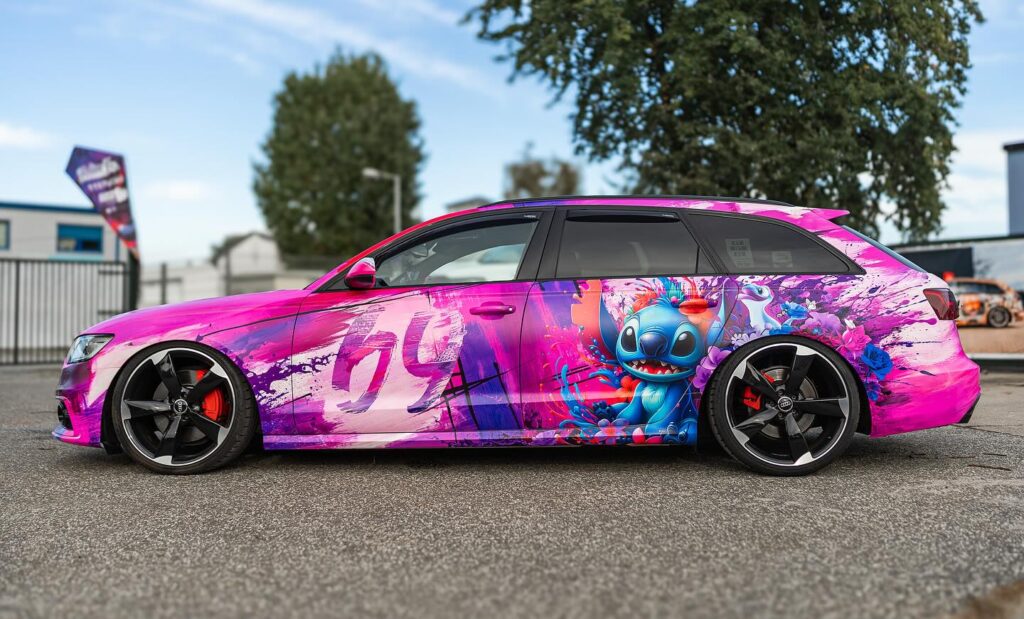
There is no universal price because an itasha project may include several separate costs:
- Character illustration
- Graphic design
- Vehicle template preparation
- Printing
- Vinyl
- Lamination
- Installation
- Vehicle disassembly/reassembly
- Shipping, if the printed wrap is produced remotely
A hood graphic is fundamentally different from a complete printed wrap for a large SUV.
Instead of asking only:
“How much does an itasha wrap cost?”
ask:
“What coverage, artwork, material, printing, and installation are included?”
That makes quotations much easier to compare.
What Makes an Itasha Design Look Professional?
The difference is rarely the number of graphics.
It is composition.
A professional-looking itasha typically has:
A Clear Focal Point
The viewer immediately notices the main character.
Consistent Colors
Supporting graphics come from a controlled palette.
Vehicle-Aware Composition
Graphics respond to doors, fenders, windows, and body lines.
Visual Flow
The eye naturally moves from the front toward the rear rather than jumping between unrelated graphics.
Controlled Detail
Small elements reward close viewing without destroying long-distance readability.
Production Awareness
The designer understands that the artwork must eventually be printed, aligned, stretched, trimmed, and installed on a three-dimensional vehicle.
Itasha Design Checklist Before You Order
Before approving your custom itasha wrap, confirm:
- Correct vehicle year, make, model, and trim
- Vehicle modifications have been disclosed
- Coverage areas are clearly defined
- Main character artwork is high quality
- Artwork usage rights have been considered
- Character faces avoid problematic seams where possible
- Colors work with the vehicle’s original paint
- Driver and passenger sides have been reviewed
- Hood, front, and rear layouts have been checked
- Text has been proofread
- Japanese text has been verified
- Final vehicle measurements have been checked
- Printer specifications have been confirmed
- Bleed and panel overlap have been included
- Material and laminate have been selected
- Final mockup has been approved
- Installer has reviewed any difficult areas
FAQ About Itasha Design
What is an itasha design?
An itasha design is a vehicle graphic style featuring characters and visual themes inspired by anime, manga, video games, VTubers, or related pop culture. Modern itasha designs commonly combine character artwork with typography, racing graphics, patterns, gradients, and other custom elements.
Can I design my own itasha car wrap?
Yes. You can design your own itasha wrap if you have suitable artwork, an accurate vehicle template, and an understanding of large-format print preparation. However, vehicle graphics require more planning than ordinary digital artwork because the design must work across curved three-dimensional panels.
What software is best for itasha design?
Adobe Illustrator is useful for scalable vector graphics, typography, logos, and vehicle-template layouts. Adobe Photoshop is useful for raster illustration, image editing, effects, and mockups. Many professional workflows use both.
Does an itasha design need to be vector?
Not everything must be vector. Logos, typography, lines, and geometric graphics are particularly suitable for vector formats. Character illustrations can be high-quality raster artwork as long as they contain sufficient usable resolution at their intended print size.
Can I use anime images from Google for an itasha wrap?
Finding an image online does not automatically provide permission to reproduce it. Anime illustrations and characters may be protected by copyright or other intellectual-property rights. Original, commissioned, licensed, or appropriately authorized artwork is the safer approach.
Can I put different characters on each side?
Yes. The driver and passenger sides do not have to be identical. Different character poses or even complementary characters can work well as long as the color palette and graphic language make the complete vehicle feel unified.
Is a full wrap better than a partial itasha wrap?
Neither is automatically better. Full wraps offer maximum transformation and complete control over the color palette. Partial wraps cost less material and can cleverly incorporate the factory paint into the design.
Should I use gloss or matte laminate for an itasha?
It depends on the artwork. Gloss can emphasize saturated colors and contrast, while matte creates a softer appearance. Material compatibility and the manufacturer’s recommended print-and-laminate system should also be considered.
Can an itasha design be installed by any wrap shop?
A shop experienced with printed vehicle graphics is preferable. Custom itasha wraps can require precise panel alignment, character positioning, and matching of graphics across multiple body panels, making them more demanding than many solid-color wraps.
Design Your Own Itasha Car Wrap with ALUKO
Your itasha should not look like someone else’s template with a different character pasted on top.
It should reflect your character, your vehicle, and your idea.
Whether you want a minimalist door graphic, a JDM racing-inspired anime design, a full cyberpunk theme, or a complete character wrap covering the entire vehicle, careful planning before production makes the biggest difference.
With a custom itasha project, you can determine the character artwork, colors, background, typography, graphic style, and vehicle coverage to create a design built specifically around your car.
Ready to turn your idea into a real anime car?